Sage 50
Product Tour
Sage 50 Product Tour
Sage 50 Product Tour
Welcome to the Sage 50 product tour
Experience how Sage 50's cloud-connected tools help you stay in control of your numbers — from inventory tracking to real-time team collaboration. Expand the features below to explore each capability.
Chapter 1: Reduce admin
Automated bank feeds & reconciliation
Securely sync your bank to Sage 50 with our step-by-step setup guide.
Automated bank feeds & reconciliation
Automatically download and match transactions to cut your reconciliation time in half.
Bank record matching
Match an existing transaction or create a new one directly from the bank record.
Effortless data import
Ready to bring over your data? Simply upload your desktop file, review a quick preview to confirm, and hit Import.
AI-Powered Accounts Payable
Cut admin time in half with AI Document Capture. Upload files or send invoices directly via email.
AI-Powered Accounts Payable
Sage 50 reads the details for approval, learning your suppliers as it goes.
Chapter 2: Managing money
Streamline billing with customized invoices
Add branding, payment terms, and bank details to your template for secure invoicing and faster client remittance.
Eliminate payment friction
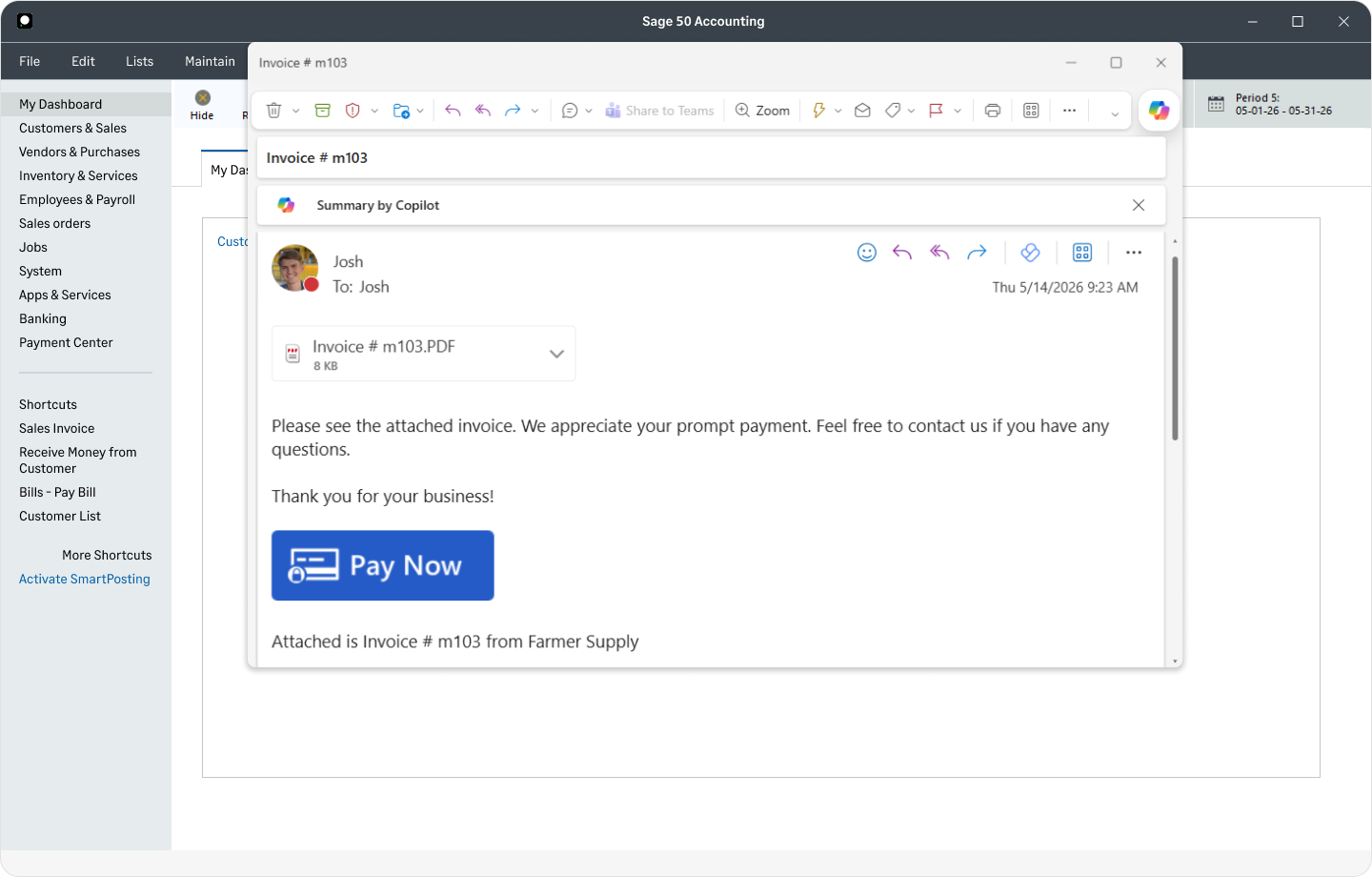
Email customers from Sage 50 and add a “Pay Now” button so customers can pay instantly by card or bank transfer.
Chapter 3: Automate data entry
Streamline your bank reconciliation
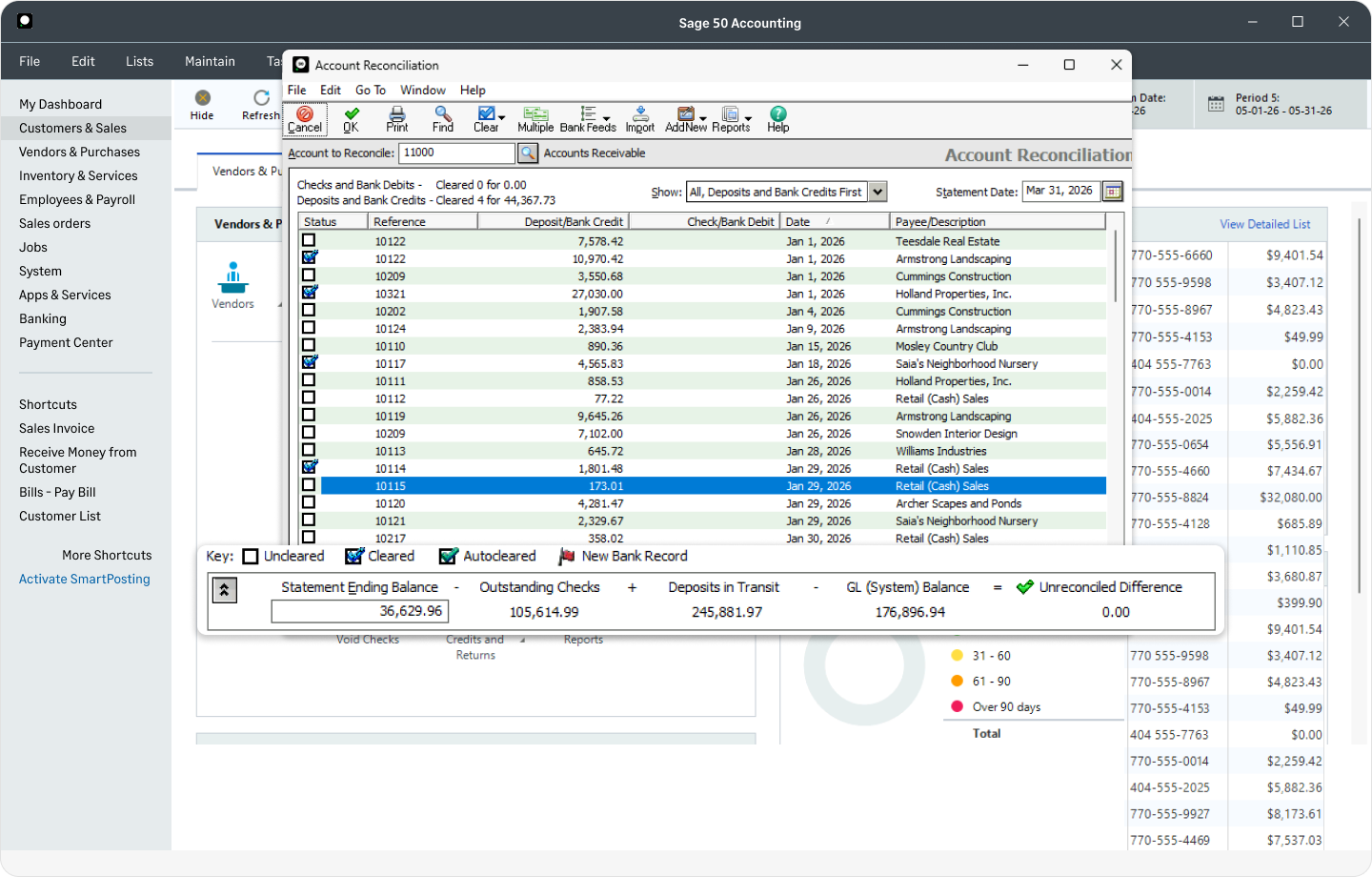
Balance your books in just a few clicks. Select your bank, click Reconcile, and finalize your statement by reviewing your closing balance and resolving any unmatched transactions.
Real-time inventory control
Maintain accuracy across your product catalog. Instantly check what’s in stock or on order, and let Sage 50 automatically update levels as you create invoices.
Protect your financial data
Back up your books automatically for peace of mind. Choose how often to back up, select the companies to include, and let Sage 50 handle the rest — with email confirmation once it’s done.
Instant document capture & entry
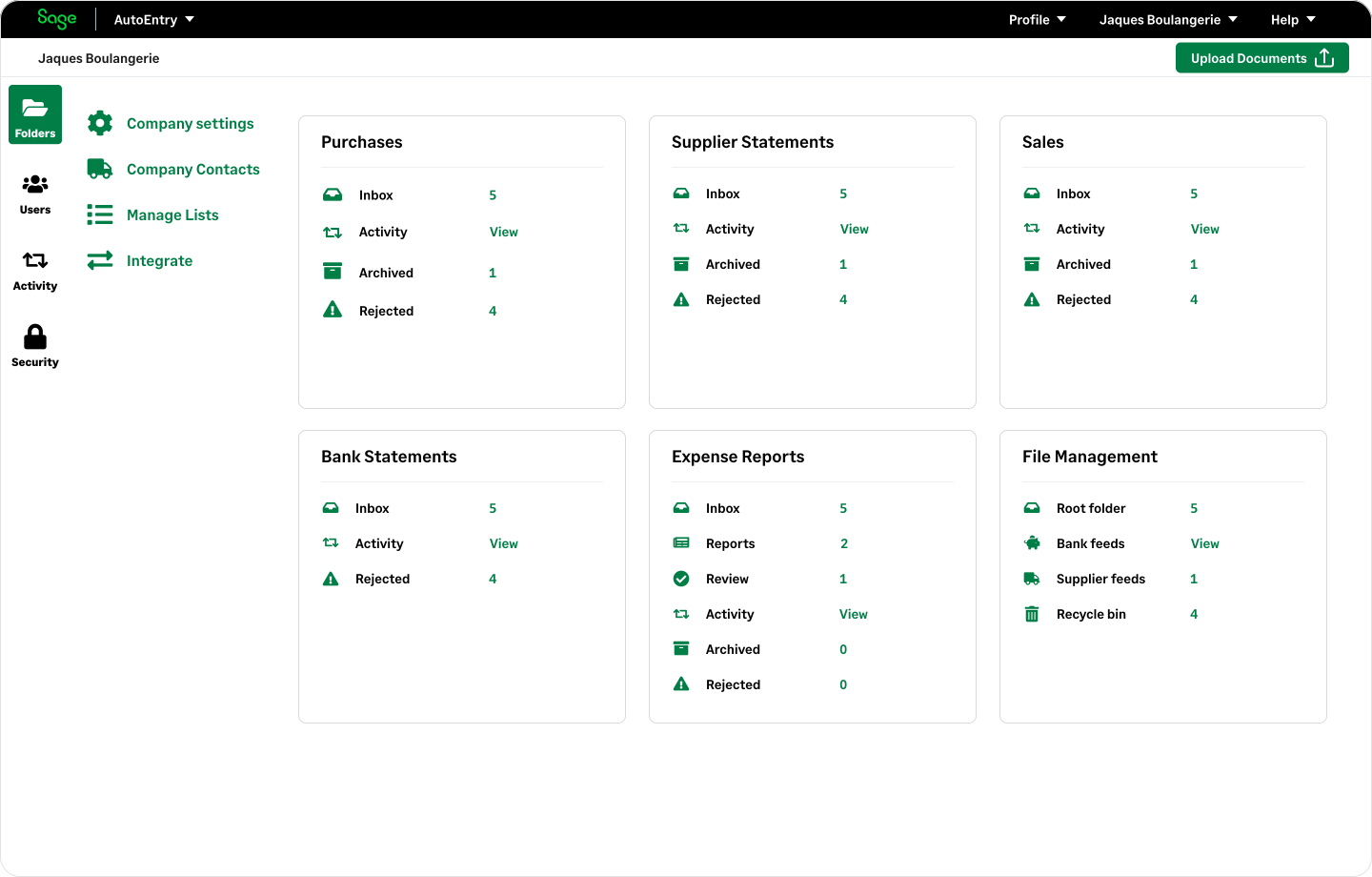
Upload invoices or receipts to extract line items automatically. Once processed, documents are securely archived by company or folder, keeping your audit trail effortless.
Chapter 4: Gain deeper insights
See your business health at a glance
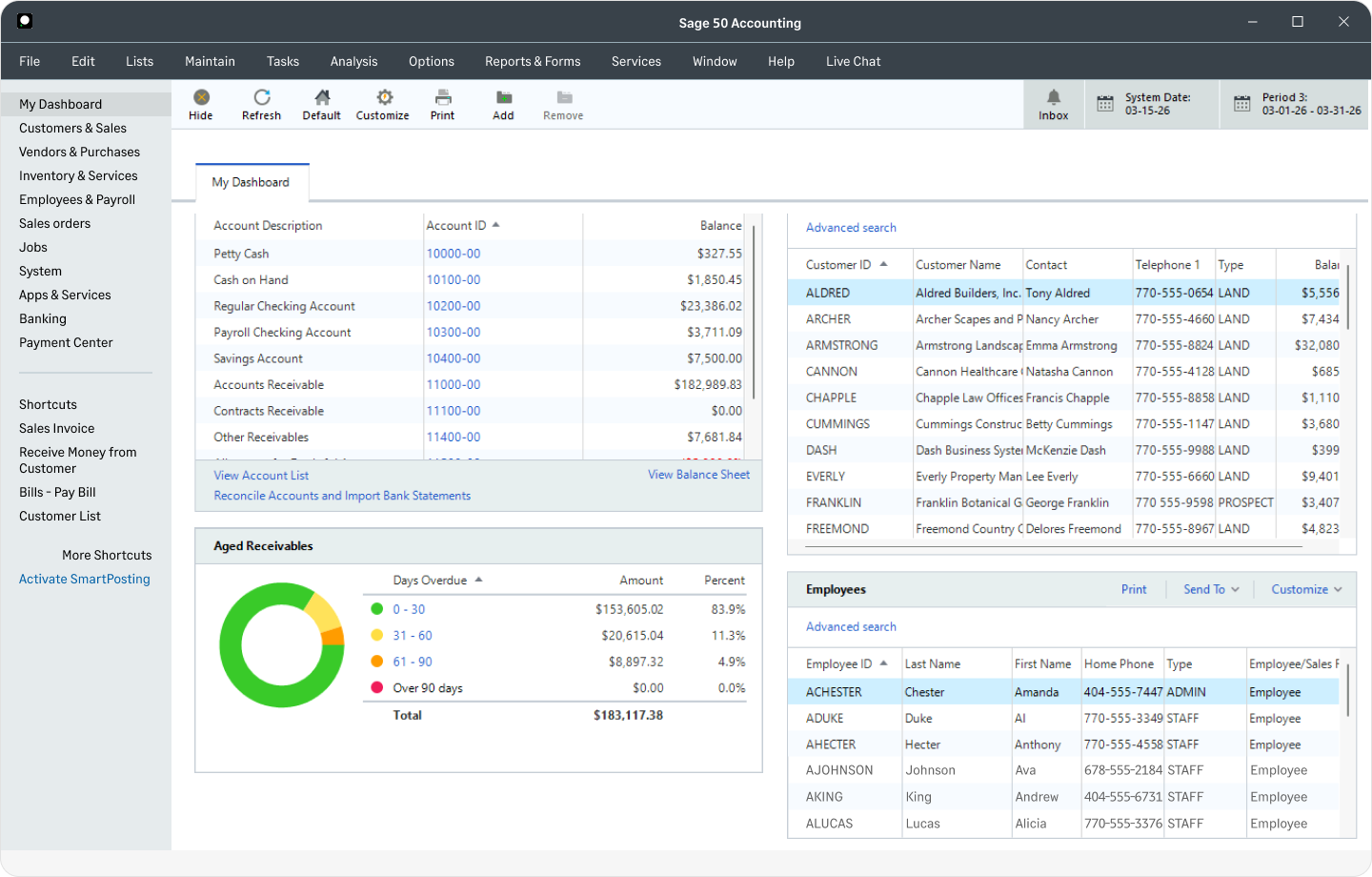
Make faster, data-driven decisions with real-time dashboards. Start with a standard layout, or build your own with customizable modular widgets tailored to your unique reporting needs.
Thanks for exploring Sage 50
We hope you enjoyed the tour. Take the next step whenever you’re ready.